Overview
BlueStream is an online media repository used by the University of Michigan to facilitate use of multimedia such digital video, audio, images, and documents in higher education. It is currently managed by the Digital Media Commons at UofM. It has a state of art technology which has the following four main components:
Digital asset ingestion and management
Video encoding and logging
Content management and production
Digital rights management
Goal
Use evaluation methods like contextual enquiry, interaction diagrams, surveys, competitive reviews, heuristic evaluations and think-aloud tests to conduct a thorough usability evaluation of BlueStream and find major areas of user frustration.
Methods and Reports
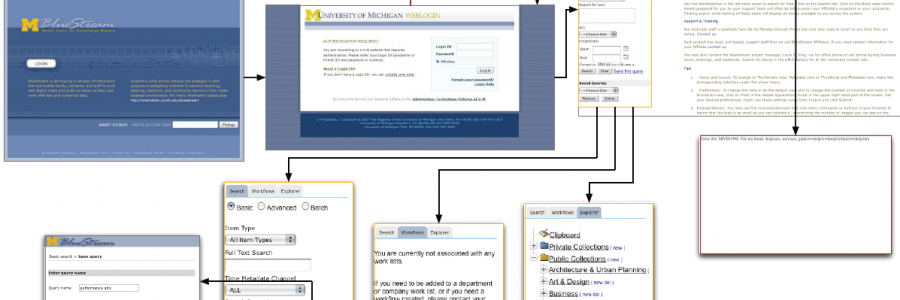
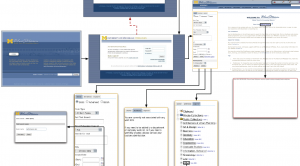
- Interaction Map
click to see full version - Competitive Review
As part of our analysis of BlueStream, we conducted a comparative analysis. The purpose of this analysis was to look at what other products perform similar tasks to BlueStream. BlueStream is powered by a product called Ancept Media Server, so we looked for other products that work similarly to the Ancept Media server. We found three products that were commonly mentioned: Documentum Digital Asset Manager and Media WorkSpace, which is made by EMC, Cumulus by Canto, and Telescope made by North Plains.
- Survey
We conducted a Survey with the current users of BlueStream to know more about their interaction with it. We used the Zoomerang survey website to post our survey for the pool of 2137. Initial pilots were done to account for discrepancies and errors on our part and also to make a judgment about the time required to complete the survey.
 Full Report
 - Heuristic EvaluationFor this evaluation, we looked at several of BlueStream’s AJAX templates for these heuristics. Errors were classified as being violations of one or more of the above heuristics. The severity of each error was then rated on a scale of zero to four, where zero is not a usability issue, and four is an imperative “must fix”.
- Think Aloud User Testing
We conducted five tests with students who had never used BlueStream before. This was done to ensure that learned behaviors would not influence the test results. Each test subject was asked to complete thirteen goal‐oriented tasks while having the screen, their face, and their voice recorded. We also took notes on the test while it was in progress.The tests revealed several important findings:- Overall, people like and appreciate the concepts of both interfaces, and would be willing to use them if offered as part of their own coursework.
- Users were able to accomplish most tasks with little to no trouble.
- Some features, particularly those related to search, annotations, and text transcriptions, were not at apparent as they could be. We also have several key recommendations:
- Lectures: make the Annotations/Speech pulldown menu more prominent by adding a border
- Lectures: draw a border around the text search box and its results area to indicate the connection between them
- Lectures: underline times in the Annotations/Speech list to make them more link‐ like
- Lectures: remove links from dates in the list of lectures to disambiguate their function
- Lectures: highlight search terms in search results, and indicate when there are no results
- Library‐DVR: make the search box more obvious by changing its initial text to “Search”